
Battery life and performance for Samsung SM-A165F (Galaxy A16)
Battery life and performance data from 7 tracked devices
Real-life full charge battery life and charge times for the Galaxy A16
About the Galaxy A16 (SM-A165F) from Samsung
Detailed battery life and performance data for the Samsung SM-A165F (marketed as "Galaxy A16"). Each row represents a real device contributing data to our analytics database.
Want insights on your Android phone's battery usage? Download BatterySnap on Google Play, the free Android application.
Individual Device Performance
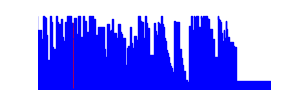
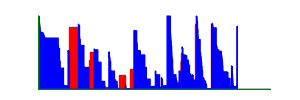
Click any device thumbnail to view battery history. Click column headers to sort.
| Device | First Snapshot ↕ | Snapshots ↕ | Last Snapshot ↕ | Restarts ↕ |
Average Full Charge Battery Life (days) ↕ |
Max Full Charge Battery Life (days) ↕ |
Awake Ratio (lower = better) ↕ |
Max Temp ↕ | Avg Temp ↕ | Avg Level ↕ | Remarkable Rank ↕ |
|---|---|---|---|---|---|---|---|---|---|---|---|

|
13196 | 21 | 11.2d | 27.9d | 0.139 | 46.8°C | 19.1°C |
48.5%
|
#61 | ||
|
1062 | 666 | 0.0d | 0.5d | 0.519 | 37.4°C | 28.9°C |
61.5%
|
- | ||
|
1680 | 105 | 0.3d | 3.4d | 0.626 | 48.7°C | 35.6°C |
37.0%
|
- | ||

|
271 | 13 | 2.4d | 6.5d | 0.770 | 48.4°C | 36.4°C |
69.8%
|
- | ||

|
7396 | 10 | 7.3d | 41.9d | 0.546 | 41.2°C | 29.3°C |
34.8%
|
- | ||

|
26653 | 20 | 0.8d | 3.4d | 0.795 | 44.7°C | 31.7°C |
31.4%
|
- | ||

|
360 | 7 | 1.6d | 4.5d | 0.630 | 38.8°C | 32.1°C |
64.8%
|
- |
Related Information
Track your battery usage with BatterySnap
Install the free BatterySnap app: your Galaxy A16 joins these statistics and you get detailed graphs of your own battery life.
BatterySnap
 Scan to install on your phone
(1) The awake ratio is the amount of time the device (here an Android tablet or smartphone) spends not "sleeping". When the device sleeps, most of its components are inactive. The screen is inactive, the main processor is inactive. This is the reason why it uses very few battery in this state. Having a big awake ratio means that the device is always doing something. This is often caused by background applications. This can also mean that the device is plugged and is charging. While awake, most of its components are active and the device's life length will be affected. If it happens that your device awake ratio is high, consider finding what applications are constantly working in background, likely for useless purpose. Consider also unplugging your device when its battery is full or almost full. You will see that your battery life will increase and you will keep your device up running for a long time with no need to replace the battery.